EBS Snapshot Cost Insights
Deleting an EBS snapshot rarely saves the full snapshot “size” the AWS console displays, because snapshots are incremental: each one stores only the blocks that changed since the previous snapshot, and blocks a deleted snapshot shares with its neighbors are simply inherited, not freed. CloudPouch EBS Snapshot Cost Insights do the block-level math for you and tell you, per volume, what deleting or archiving snapshots would actually save.
What it checks
Section titled “What it checks”CloudPouch compares snapshot blocks across each volume’s snapshot chain and reports:
- Snapshot counts and the volume of data that could be archived.
- Estimated monthly savings from cleanup.
- Per-volume guidance on whether to delete snapshots or archive them.
- Whether snapshot evaluation was skipped, so “not evaluated” never masquerades as “no savings found.”
On large AWS accounts with big snapshot inventories, CloudPouch limits analysis concurrency and reports AWS API errors explicitly, so a partial scan is diagnosable instead of silently wrong.
Why this costs money
Section titled “Why this costs money”EBS snapshots bill per GB-month of stored blocks, and they accumulate by default: backup automation creates them daily, nothing deletes them, and each abandoned chain keeps billing for years. The pattern gets expensive fastest around stopped EC2 instances — teams keep instances “just in case,” and the storage behind them keeps billing at full volume rates. In a 2023 client engagement by CloudPouch’s creator, replacing the EBS volumes of thousands of stopped EC2 instances with snapshots cut $109,926/month — $1.32M/year at the storage prices of the time — and dropped the average monthly storage cost per EC2 instance from $14.20 to $5.82; the EBS snapshot case study walks through the whole pattern, including the restore automation.
How to enable it
Section titled “How to enable it”Snapshot evaluation is off by default because block-level comparison is a heavier scan than the other insights.
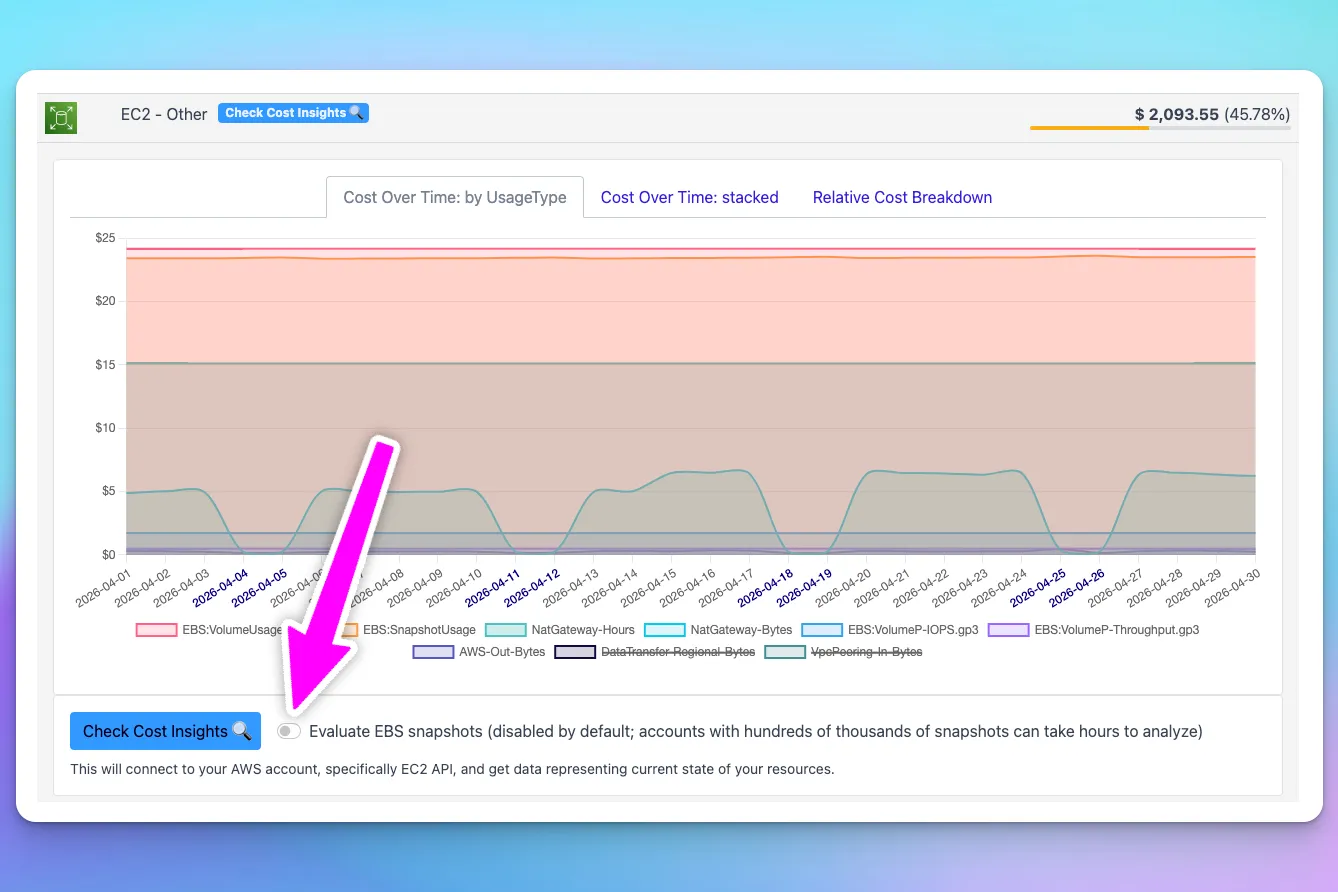
- Open the EC2 Other cost area in CloudPouch.
- Turn on Evaluate EBS snapshots.
- Run Cost Insights for the selected timeframe.
If the toggle stays off, CloudPouch skips snapshot analysis and says so in the result.
How to read the result
Section titled “How to read the result”Delete recommendations are for snapshots whose data you no longer need. Archive recommendations move snapshots to the cheaper EBS Snapshot Archive tier — but archive has a minimum storage duration and per-GB restore fees, so check restore likelihood before archiving anything you might need back soon.
Required AWS permissions
Section titled “Required AWS permissions”Beyond the standard EC2 snapshot read APIs and cost data, this insight needs two EBS direct APIs for block-level comparison:
ebs:ListSnapshotBlocksebs:ListChangedBlocks
See AWS permissions.