DynamoDB Cost Insights
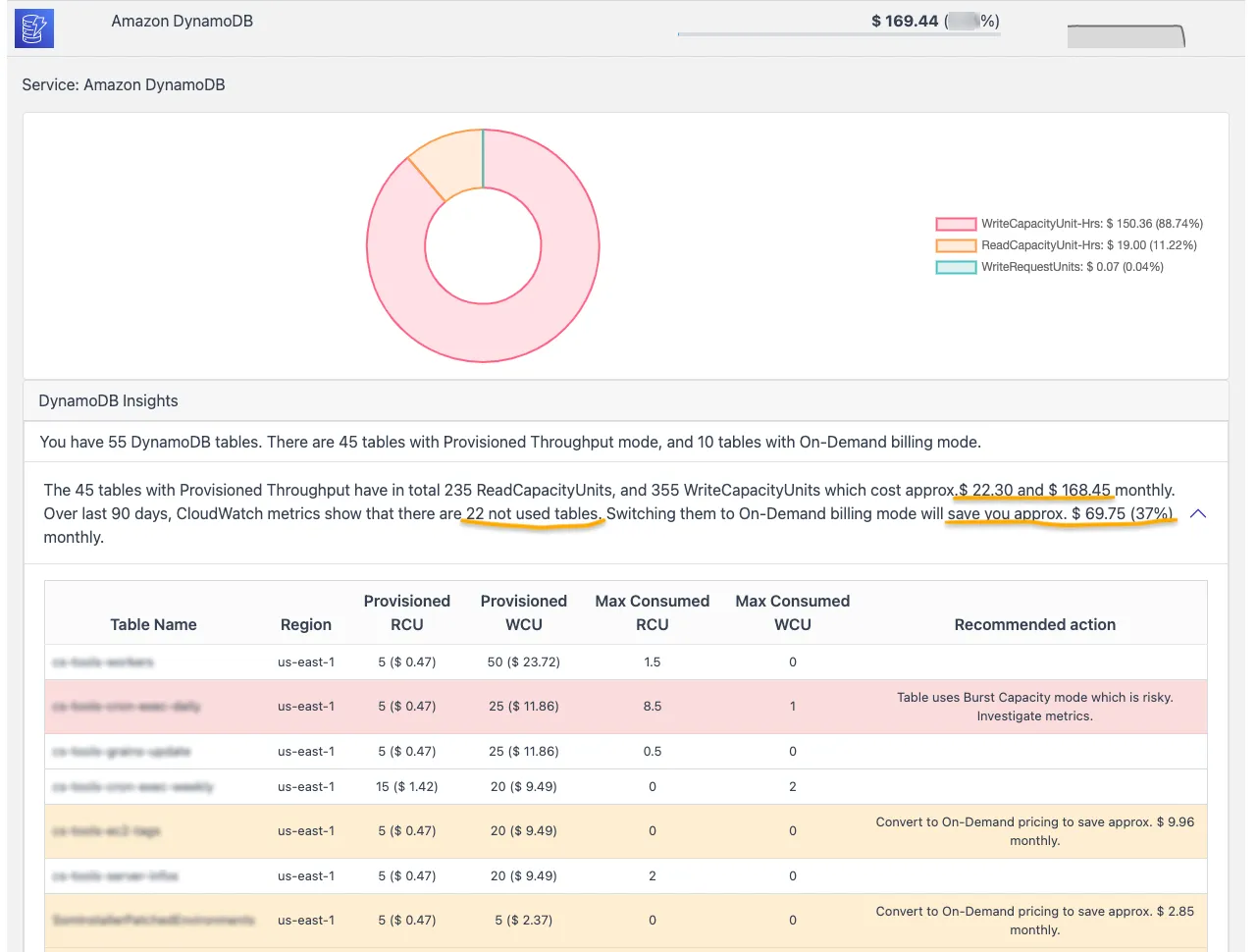
A DynamoDB table provisioned for 1,000 read capacity units bills for all 1,000 every hour, even if the application consumes 50. CloudPouch DynamoDB Cost Insights compare provisioned throughput against actual consumption for every table and show where capacity settings, autoscaling, or capacity mode deserve a change.
What CloudPouch checks
Section titled “What CloudPouch checks”- Over-provisioned tables where consumed capacity sits far below provisioned capacity.
- Autoscaling savings — tables that would cost less with Application Auto Scaling added or adjusted.
- Burst capacity risk — tables that regularly eat into their burst buffer.
- Capacity-mode context for both on-demand and provisioned throughput tables.
- Direct links to each table’s metrics in CloudWatch and the DynamoDB console.
Why this costs money
Section titled “Why this costs money”In provisioned mode, DynamoDB bills per read and write capacity unit per hour — provisioned capacity is charged whether requests arrive or not. Teams commonly provision for peak traffic and never revisit the number, so a table sized for a launch-day spike keeps billing at launch-day rates for years. Autoscaling narrows the gap between provisioned and consumed capacity automatically; tables without it depend on someone remembering to tune them.
How to read burst capacity risk
Section titled “How to read burst capacity risk”Burst capacity is the unused throughput DynamoDB banks (up to five minutes’ worth) to absorb short spikes. A table that regularly consumes its burst buffer is running closer to its limit than the provisioned numbers suggest. That is a signal in two directions: the table may throttle during the next spike, and a naive “cut provisioned capacity to match average consumption” change would make throttling more likely. Treat burst-risk tables as candidates for autoscaling or on-demand mode rather than a straight capacity cut.
When to use it
Section titled “When to use it”Run this insight when DynamoDB is a visible line in your bill and most tables use provisioned mode. It is also worth a pass after any traffic pattern change — a migration, a deprecated feature, a seasonal peak that ended — because capacity settings rarely follow the traffic down.
Required AWS permissions
Section titled “Required AWS permissions”CloudPouch needs read-only access to DynamoDB table metadata, Application Auto Scaling scalable targets, CloudWatch metrics, and cost data. See AWS permissions.