EC2 Cost Insights
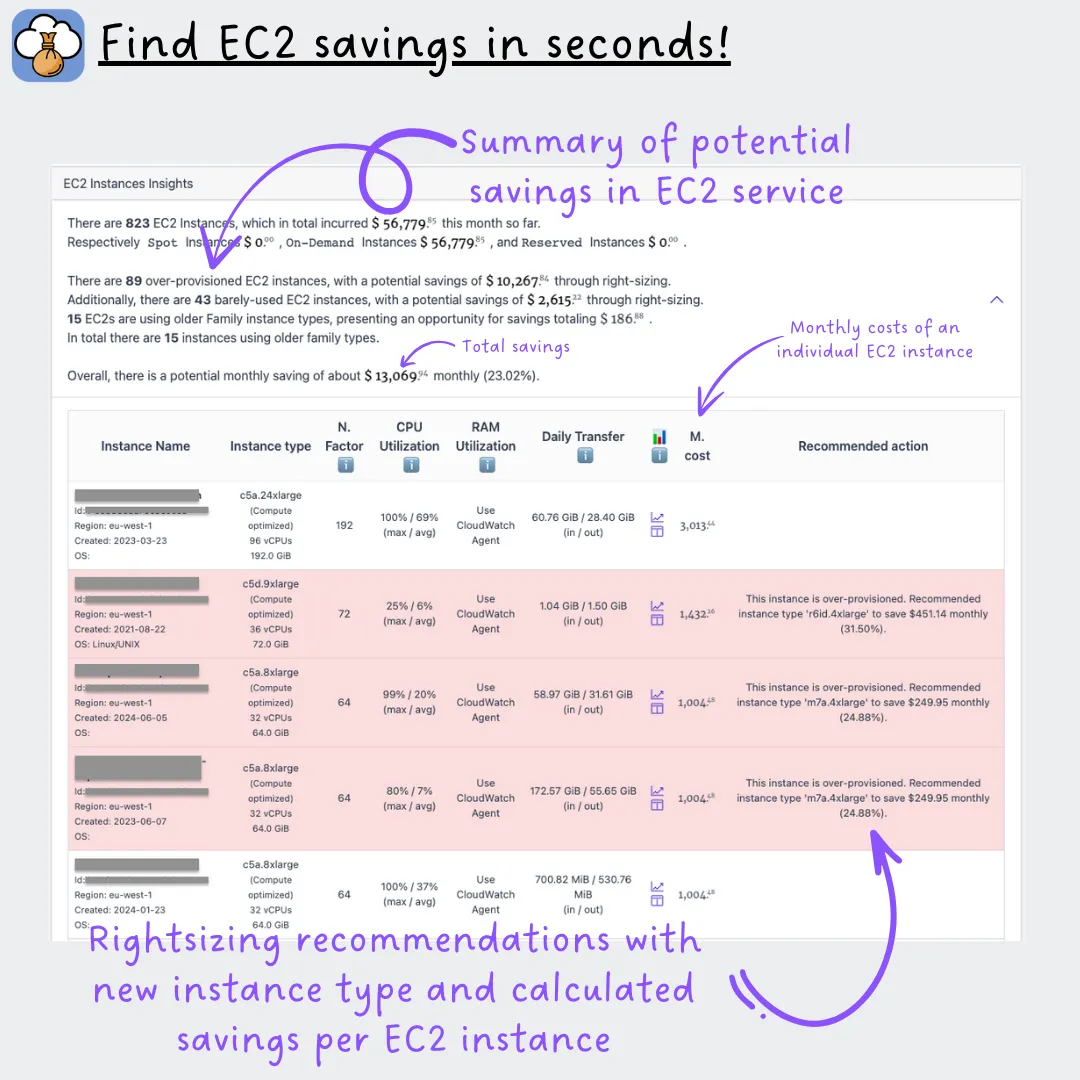
An EC2 instance running at 5% CPU bills exactly the same as one running at 90%. CloudPouch EC2 Cost Insights find the instances in your AWS account that are unused, barely used, or oversized, and turn them into a ranked list of rightsizing and removal candidates with estimated dollar savings.
What it checks
Section titled “What it checks”CloudPouch reviews every EC2 instance together with its CloudWatch utilization data and instance specification, and reports:
- Instances that are unused or almost unused — the strongest removal candidates.
- Underutilized instances that could run on a smaller size.
- Rightsizing recommendations with the potential savings in dollars.
- CPU and network transfer metrics per instance, so you can judge each recommendation against real usage.
- Instance specification context (CPU, memory) next to the utilization numbers.
- Direct CloudWatch links for deeper investigation without hunting through the AWS console.
- Spot instances as a visually distinct category, since their economics differ from On-Demand.
Why this costs money
Section titled “Why this costs money”On-Demand EC2 bills per second of running time, based purely on instance size — never on how much work the instance does. An m5.2xlarge that a team sized “to be safe” two years ago keeps billing at the 2xlarge rate even if nothing meaningful has run on it since. Dropping one size typically halves the compute rate, which is why rightsizing is usually the first EC2 saving worth taking.
One caveat when you act on findings: stopping an instance stops compute billing, but its attached EBS volumes keep billing at the full provisioned rate. Pair this insight with EBS Cost Insights to catch the storage left behind.
How to read the result
Section titled “How to read the result”Start with the unused and almost-unused instances — stopping or terminating them is the fastest win. Then work through the rightsizing list, using the CPU and network metrics to confirm each recommendation before resizing; a low-CPU instance can still be memory-bound or bursty, so check the CloudWatch link when in doubt.
Required AWS permissions
Section titled “Required AWS permissions”CloudPouch needs read access to EC2 instance metadata, CloudWatch metrics, and cost data. See AWS permissions.