DocumentDB Cost Insights
Amazon DocumentDB clusters bill per instance-hour for every instance in the cluster, plus per GB-month for storage and per million I/O requests — an idle three-instance cluster costs the same as one serving production traffic. CloudPouch DocumentDB Cost Insights find clusters that no longer earn their bill.
What CloudPouch checks
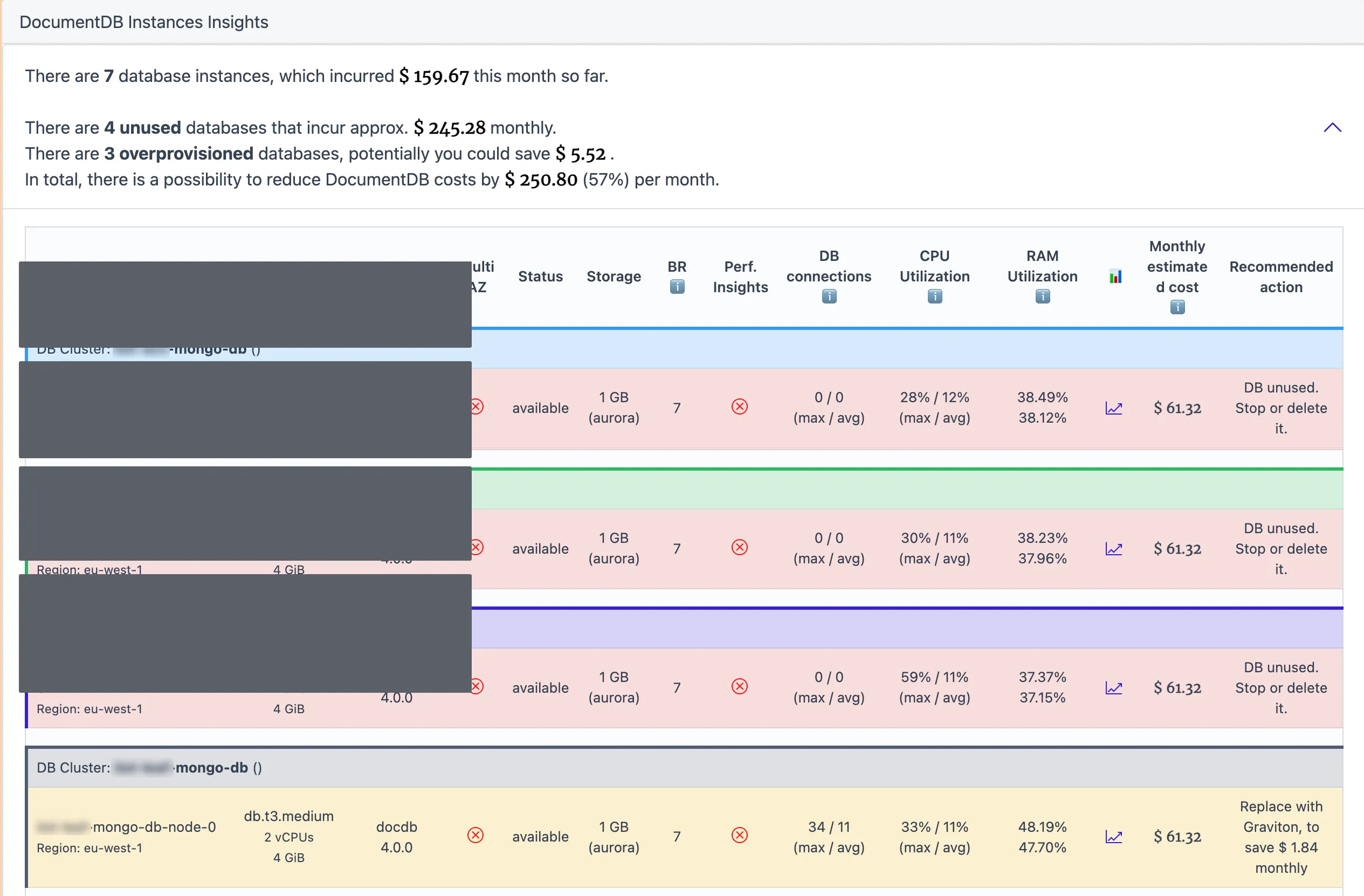
Section titled “What CloudPouch checks”- Idle clusters with utilization low enough to question whether the cluster is needed at all.
- Rightsizing opportunities where the instance class is larger than the workload requires.
- Graviton migration candidates — when CloudPouch recommends moving to an AWS Graviton instance class, the finding names the specific suggested instance type, so you can estimate the change without a separate sizing exercise.
Utilization comes from CloudWatch metrics, so findings reflect what the cluster actually did, not what it was provisioned for.
Why this costs money
Section titled “Why this costs money”DocumentDB instances bill every hour they exist, and a stopped cluster restarts itself after at most seven days — so idle clusters return to billing on their own, and they routinely outlive the project that created them. Instance-family choices also go stale. A cluster launched years ago on an older Intel-based instance class keeps paying the older price-performance rate even though Graviton-based classes typically deliver the same work for less — AWS lists the current per-class rates on the Amazon DocumentDB pricing page. Nobody revisits the instance class because the cluster “works”, which is exactly why an automated check pays off.
When to use it
Section titled “When to use it”Run this insight when DocumentDB appears in your bill and you cannot immediately name what each cluster serves. Typical hits: a proof-of-concept cluster that was never deleted, a staging cluster sized like production, and long-lived clusters still on pre-Graviton instance classes.
How to act on the findings
Section titled “How to act on the findings”For idle clusters, confirm with the owning team, snapshot, then delete. For rightsizing and Graviton findings, the suggested instance type gives you the target; test the change on a non-production cluster first, since a Graviton move changes the underlying architecture even though DocumentDB handles compatibility at the engine level.
Required AWS permissions
Section titled “Required AWS permissions”CloudPouch needs read-only access to DocumentDB cluster and instance metadata, CloudWatch metrics, and cost data. See AWS permissions.